Arrow Dodge: Building a Pure Reaction Speed Test
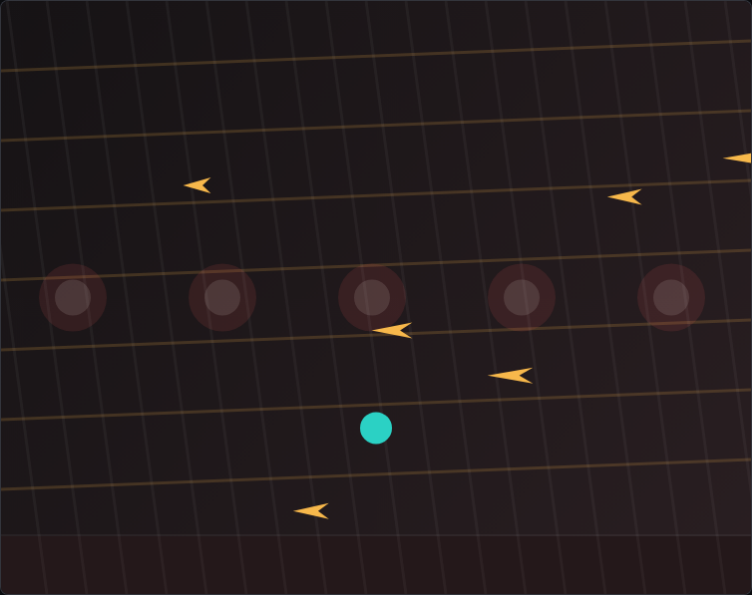
Arrow Dodge has the shortest design brief of any game I've built: arrows fly in from the sides, you dodge them, you're being timed. There is nothing else. No enemies, no score multipliers, no power-ups, no lives. Just: can you get out of the way in time? Building a game that is only one mechanic sounds easy. Getting that mechanic to feel truly fair took longer than I expected, and the lessons came from places I didn't anticipate.
The Warning Window Problem
In early testing, arrows spawned at the screen edge and immediately began moving. At slow speeds this was fine. As I increased arrow velocity to create harder difficulty tiers, the game stopped being a reaction test and became pure luck: you couldn't perceive an arrow's spawn position fast enough to respond before it arrived. I needed a warning system. My first attempt was a colored indicator at the screen edge that flashed 300 milliseconds before the arrow launched. That felt good for single arrows. When two arrows came from opposite sides simultaneously, players reported feeling overwhelmed and unfairly caught. I increased the warning window to 450 milliseconds for multi-arrow events and added a subtle screen-edge highlight in the direction of the upcoming threat. The distinction between "single arrow" and "multi-arrow" warning times was a small asymmetry that most players never consciously noticed, but it made multi-arrow moments feel beatable rather than random.
Arrow Speed Versus Hitbox Size
Fast arrows feel satisfying to dodge — there's a visceral thrill to a near-miss. But the faster an arrow moves, the shorter the window during which its hitbox overlaps the player's hitbox. At very high speeds, a technically valid collision could happen and be visually imperceptible, causing what players describe as "invisible deaths." I addressed this in two ways. First, I shrank the player's collision hitbox to about 70% of the visible character sprite, giving more forgiveness on close calls while keeping the visual exciting. Second, I capped arrow speed at a value where the minimum on-screen hitbox overlap time was at least two frames at 60fps — roughly 33 milliseconds. Below that threshold, players couldn't register the hit as their fault, and the game felt broken. Above it, even a visually terrifying near-miss left a trace of "I could have moved in time," which is exactly the emotion you want driving the next attempt.
Why Single-Button Makes It Better on Mobile
Arrow Dodge originally used keyboard arrow keys — up and down to move, potentially left and right. I was building it for desktop. When I tested on a phone it was unplayable: two-thumb d-pad controls felt finicky and imprecise under time pressure. I rebuilt the control scheme around a single tap anywhere on screen: tap to toggle between two vertical positions — top half or bottom half. That's the entire input model. It forced me to redesign the arrow patterns so that a binary choice — top or bottom — was always a meaningful decision, never a "I'll stay in the middle" option. Restricting to two positions also made the game much more readable: players always knew exactly where they were and where the safe zone was. The mobile constraint made the desktop version better too, and I ended up shipping the binary-position model as the default for all platforms.
Browse All Games