Castle Defender: Building a One-Button Tower Defense
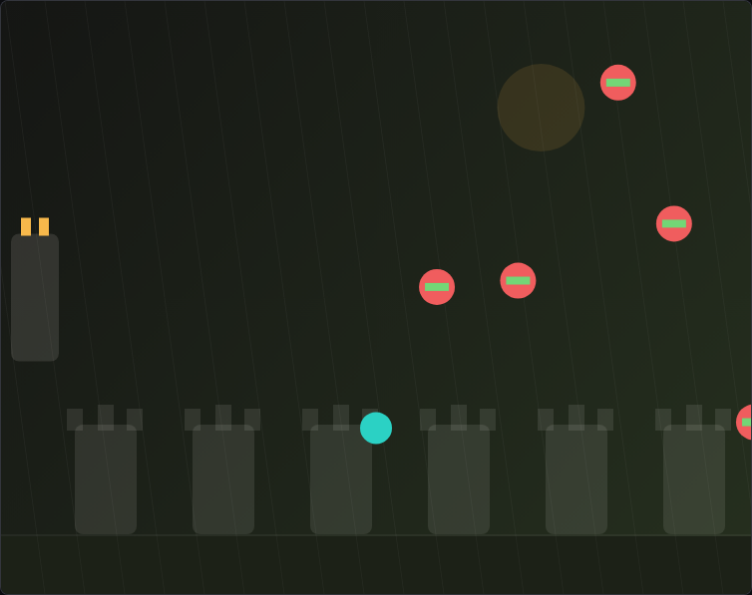
Tower defense games usually give you a lot to manage — multiple towers, upgrade trees, resource economies, unit types. Castle Defender strips all of that away. You have one cannon. You aim it and fire. That constraint sounds like a simplification but it created a completely different set of design problems, because now every interesting decision had to live in the aiming and firing itself.
What "One Cannon" Actually Means for Design
When I first committed to the single-cannon concept, I thought I was making things easier on myself. Instead, I'd just moved all the complexity to a different place. In traditional tower defense, you're managing a spatial puzzle — where to build. Here, the spatial puzzle is gone, so all the tension has to come from moment-to-moment targeting decisions under time pressure. That meant enemies needed to be meaningfully different in ways that affected how you'd prioritize them. A fast enemy close to the castle is more dangerous than a slow heavy enemy far away, even if the heavy one has more health. Players have to be constantly doing that math in their heads. I added visible health bars and color-coding by type so those assessments are instant and visual, not a mental calculation. The UI had to do a lot of work that the game structure used to handle.
Aiming Mechanics and the Cursor Lag Problem
Aiming a cannon with a mouse sounds trivial, but I ran into a weird problem early: the cannon felt "sticky." There was a 60ms lag between mouse position and cannon angle update, and it ruined precision. I traced it to my angle calculation running inside a requestAnimationFrame loop rather than directly on mousemove. Switching to a direct mousemove handler with immediate DOM updates eliminated the lag entirely. The cannon now tracks exactly where you point, which matters a lot when enemies are weaving between each other and you're trying to thread a shot. On mobile I added a large tap-to-fire zone and auto-aimed the cannon toward the closest high-priority enemy, which isn't as satisfying as manual aiming but keeps the game playable on touch screens. I'd love a better mobile solution eventually — this one works but it changes the experience too much.
Wave Design and Keeping Tension Without Overwhelm
Waves in Castle Defender aren't just "send more enemies." Each wave introduces a new enemy composition designed to test a specific skill. Wave 1 is just slow grunts — warmup. Wave 3 introduces fast skirmishers that require you to lead your shot. Wave 5 brings the first armored enemies that take multiple hits. Wave 7 mixes fast and armored simultaneously, which is where most playtests showed the highest stress. I spent a lot of time balancing wave 7 specifically because that's where players either found their footing or fell apart. The key insight was that wave 8 should feel like relief after 7's intensity — same number of enemies but slower, giving players a moment to breathe before the final push. Pacing a difficulty curve isn't just about making things harder; it's about controlling when to ease up so players can reset and feel ready to push again.
Browse All Games